Open the right home
AV Companion checks the saved home helpers and selects the reachable home, while keeping every room tied to its actual equipment.
Every home. Every room. One clear remote.
AV Companion turns complex home entertainment into an activity-first experience. It finds the right home, coordinates the room’s television, sound, source and lighting, then presents only the controls you need.
Effortless by design
You should not need to remember inputs, audio routes or which remote turns on which device. AV Companion checks the configured home, keeps each room independent, and gives you one clear control surface.
AV Companion checks the saved home helpers and selects the reachable home, while keeping every room tied to its actual equipment.
Watch Apple TV or DIRECTV, listen to Sonos, play a console, or start another configured source with one choice.
The display, processor or speaker, source and room-light scene move together, and the controls adapt to the active activity.
Inside the actual app
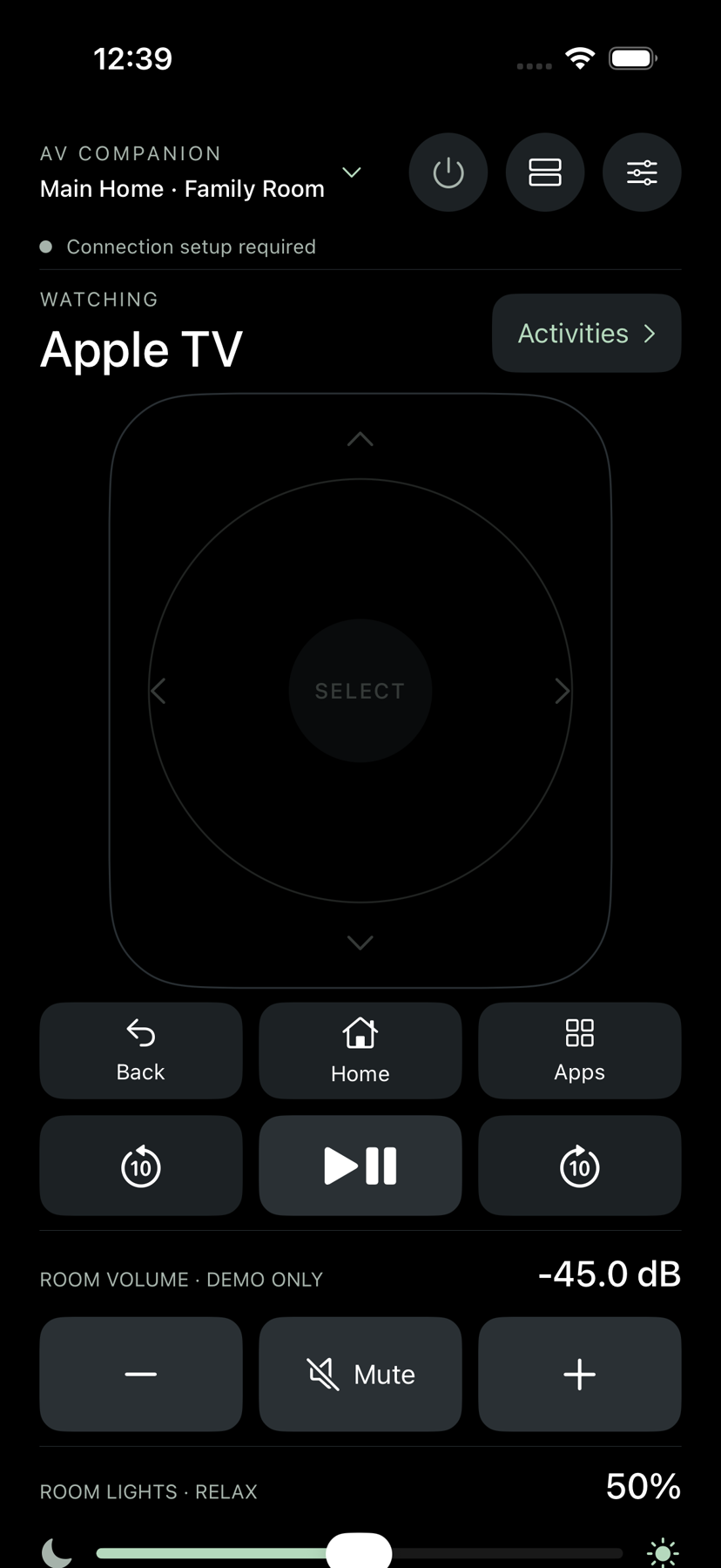
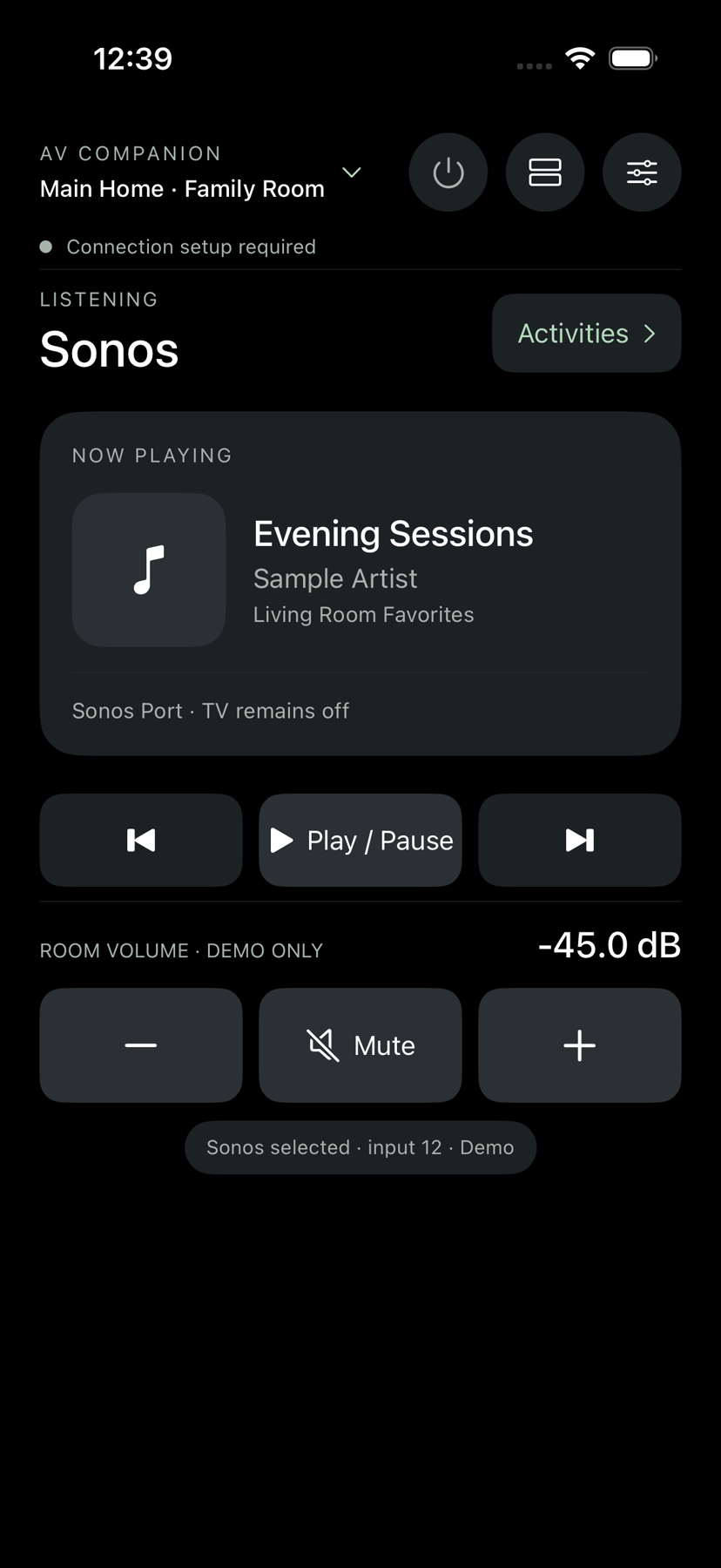
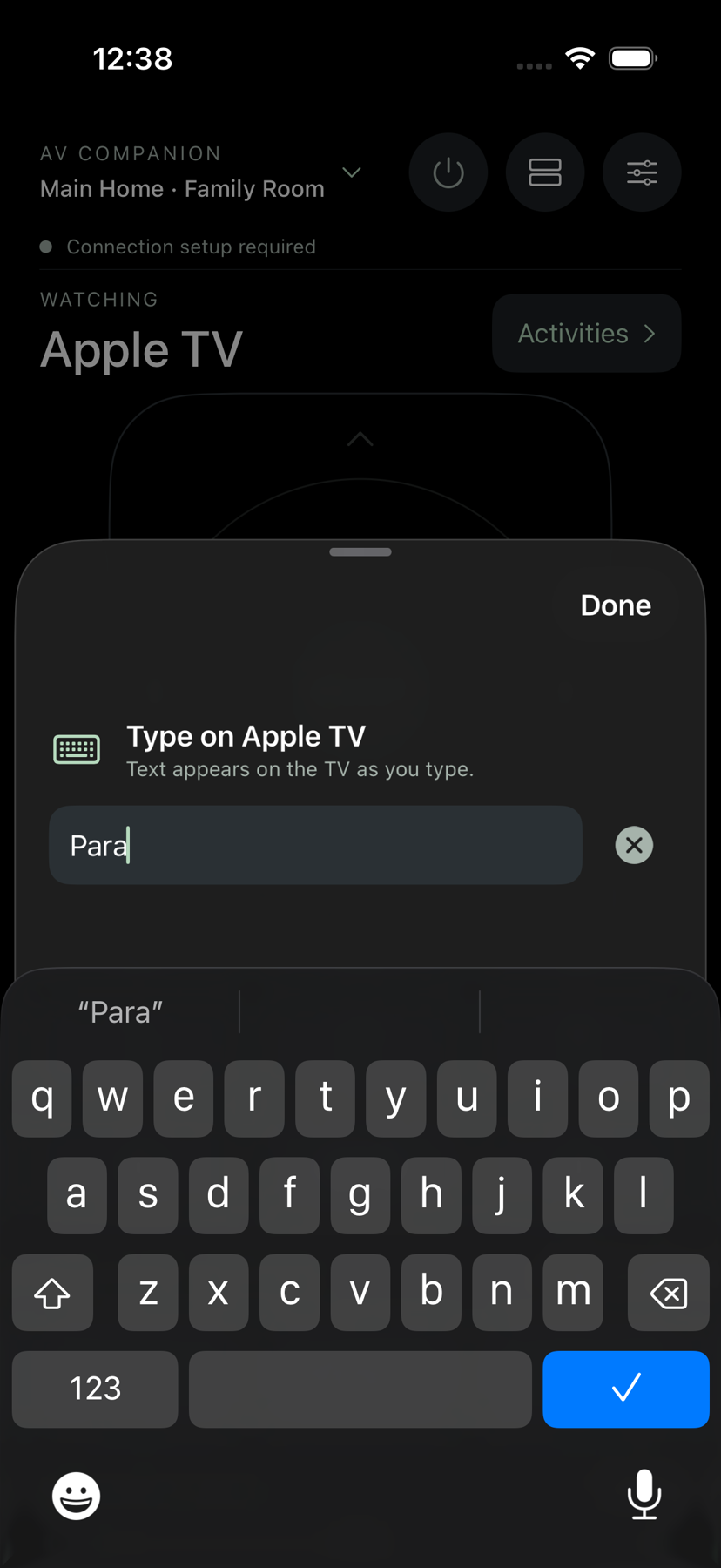
Direct simulator captures advance automatically. Choose a screen to pause on it.
Built for the household
Every screen is specific to the active home, room and activity. The common path stays simple, while the real controls remain available when you need them.
Use one app across configured homes and rooms. Each room keeps its own devices, activity state and command queue.
One choice powers and routes the television, receiver or speaker, source, and room-light scene. Room Off closes the sequence deliberately.
Swipe and tap on the full touch surface, navigate and play, launch apps, switch household profiles, and enter text when tvOS requests it.
See track, artist, album and available artwork, with play, pause, room volume and lighting together on the active screen.
Use navigation, playback, guide, recordings and channel entry, with clear guidance when a configured Genie Mini is asleep.
Pair by one-time QR code, share configured rooms with family, run plain-language diagnostics, and recover without guessing when a device answers slowly.
Availability
It is built for individually configured home systems, with a private Mac helper coordinating supported equipment on the local network. It is not presented as a universal remote for every device, and capabilities may evolve before release.